
Catalogue, stock and orders in one place
Your stock, customer conversations and orders in one B2B workspace. With an eight-language interface and a setup shaped around your business.
No sign-up · sample data · your own temporary workspace
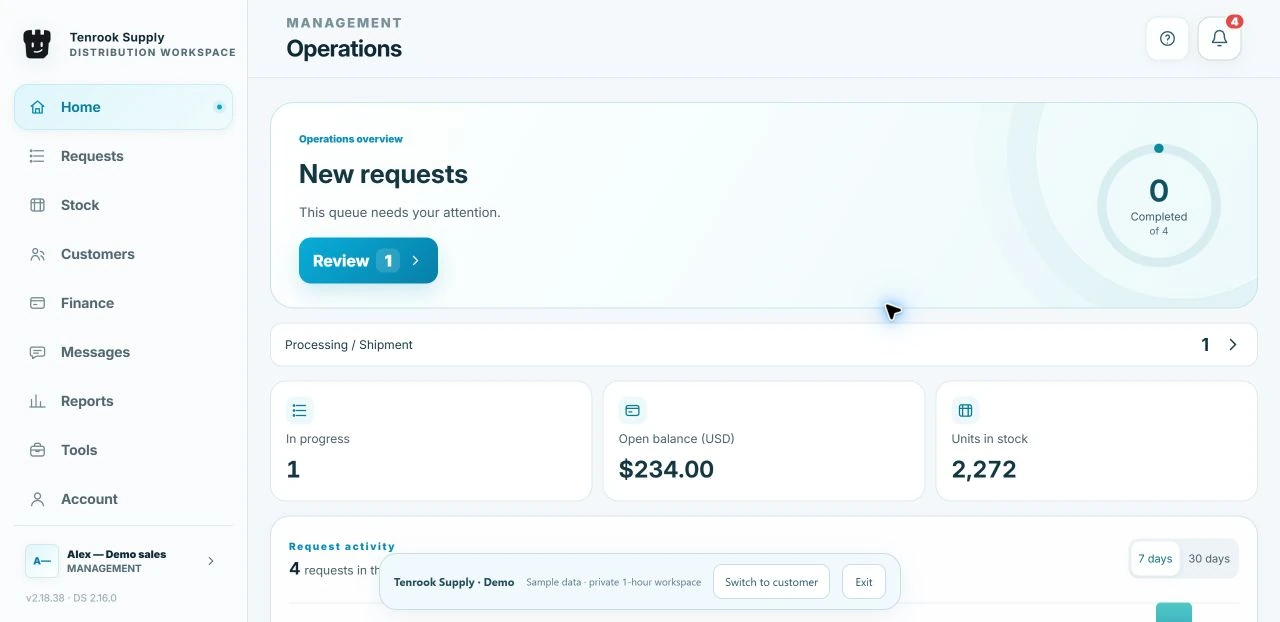
Actual screens from the live demo · fictional data
Explore the screens your team will use
Choose a screen to see the workflow. These images come from the live demo and use fictional data.
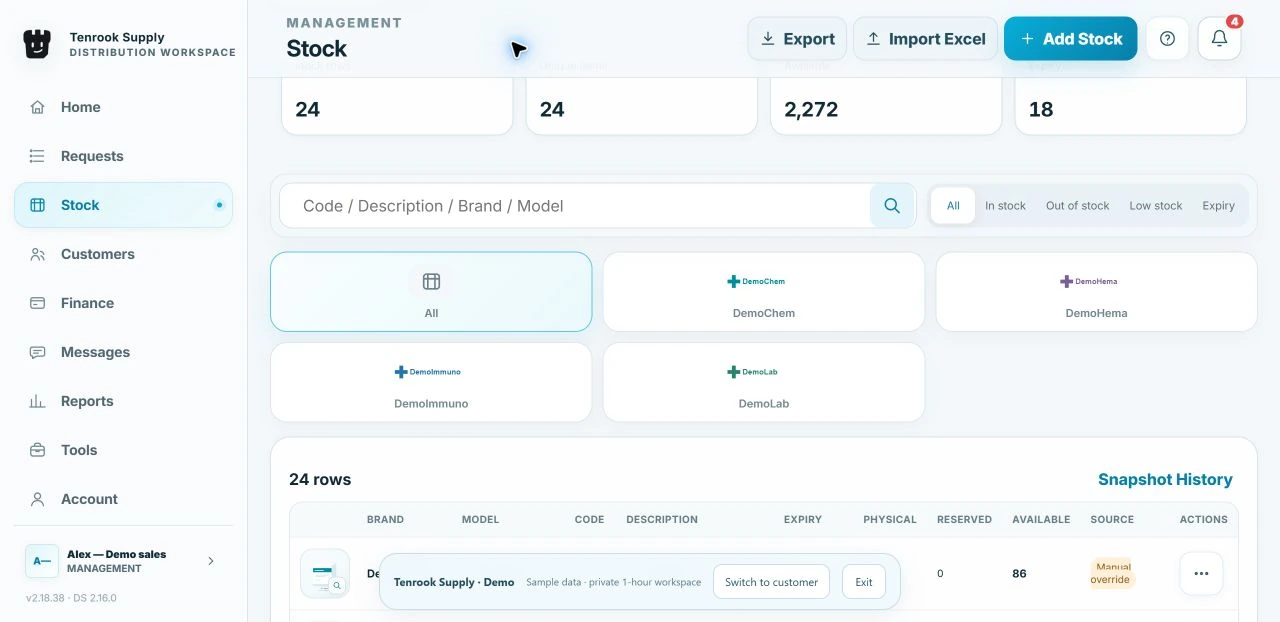
Stock and reservations at a glance
Search by product, code, brand or model. Check physical stock, reservations and expiry dates before confirming a request.
Work across languages
Your customer can work in one language and your team in another. Supply offers eight interface languages, with AI translation for chat and quote-revision notes when connected.
- Messages appear in the recipient’s language. The original stays available.
- Quote-revision notes can be translated where your team reviews the request.
AI translation is configured during setup, with a connected provider and usage costs. It is disabled in the public demo.
How message translation works
DC-101 için 12 kutu ayırabilir misiniz?
Can you reserve 12 boxes of DC-101?
Prepared examples to explain translation — not a live AI response.
English, Turkish, Persian, Arabic, French, Russian, Chinese and Sorani Kurdish.
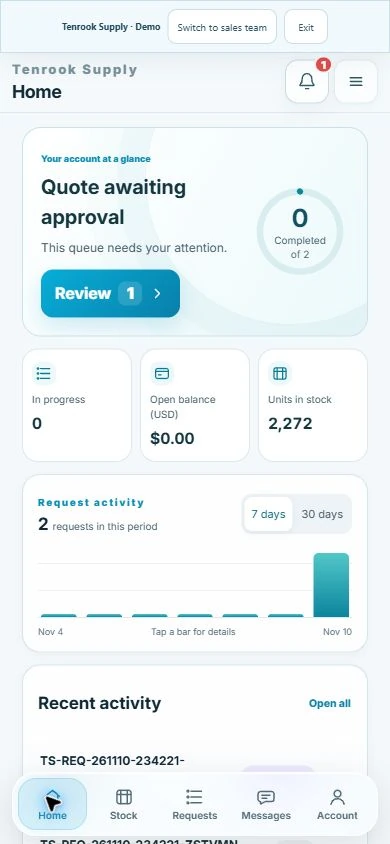
Your customer’s workspace, on mobile too
Customers have their own mobile-friendly workspace. They can browse stock, build a request and return to a quote without chasing scattered files.
- Browse the catalogue and choose quantities
- Follow requests and respond to quotes
- Keep messages and account history together
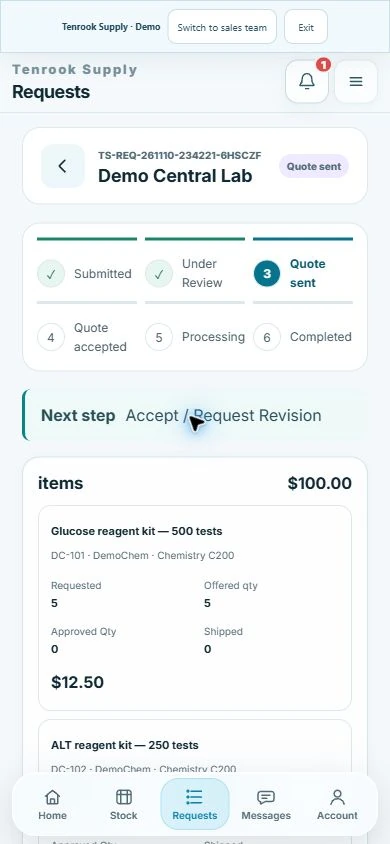
From order request to shipment
The same request moves through clear stages. Your team and the customer each see the actions that belong to them.
- 1
Request
The customer chooses products and quantities.
- 2
Quote
Your team confirms what can be supplied and at what price.
- 3
Approve
The customer accepts or declines the offer.
- 4
Prepare & send
Track reserved stock and full or partial shipments.
What you can do with Supply
For wholesalers and distributors serving business customers.
Stock you can work withImport Excel stock, review changes and show customers what is available.
Includes reservations and expiry-aware availability. Updates reflect the data entered into the system; an external ERP connection is a separate scope.
Customers and team accessGive customers their own account and your team the access their work needs.
Separate owner, management, assistant and customer views. Customer access and account status can be managed by authorised staff.
Quotes through to shipmentReview requests, send a quote and follow the accepted order through preparation and shipment.
Quote revisions, customer decisions and partial shipments have distinct steps. Try the workflow with fictional data in the live demo.
Chat and message translationMessages, attachments and announcements in your workspace, with optional AI translation.
Translation keeps the original message available. Delivery services, AI usage and notification permissions are configured for your deployment.
Order accounts and recordsFollow invoices, recorded payments, balances and order history.
Operational financial records, not a promise of local tax compliance, e-invoicing or a replacement for your accounting software. Those requirements need separate assessment.
Excel stock lists and order requestsShare a stock workbook with your own branding and bring customer quantities back into the order process.
Export columns and language can be selected. Workbook format and import checks are agreed during setup.
Sales and customer reportsSee request-to-order conversion, demand, customers, brands and price history.
Filter by date, customer, brand or order status. Review quantities, recorded collections and outstanding balances; export reports to Excel.
Order and stock notificationsOrder updates and back-in-stock alerts keep customers informed.
Customers can follow unavailable products. In-app, email and push delivery depend on enabled events, service setup and device permissions.
PDF quotes and barcode scanningPrepare PDF offers and read UDI, GS1 and barcodes from a camera or image.
The offer builder includes products, prices, discount, tax and payment or delivery terms. Scanning depends on browser support, camera access and code quality.
On desktop and mobileA responsive workspace for desktop and mobile, with home-screen installation on supported devices.
Customer and staff views adapt to the screen. This is a web app; installation and notifications depend on the device and browser.
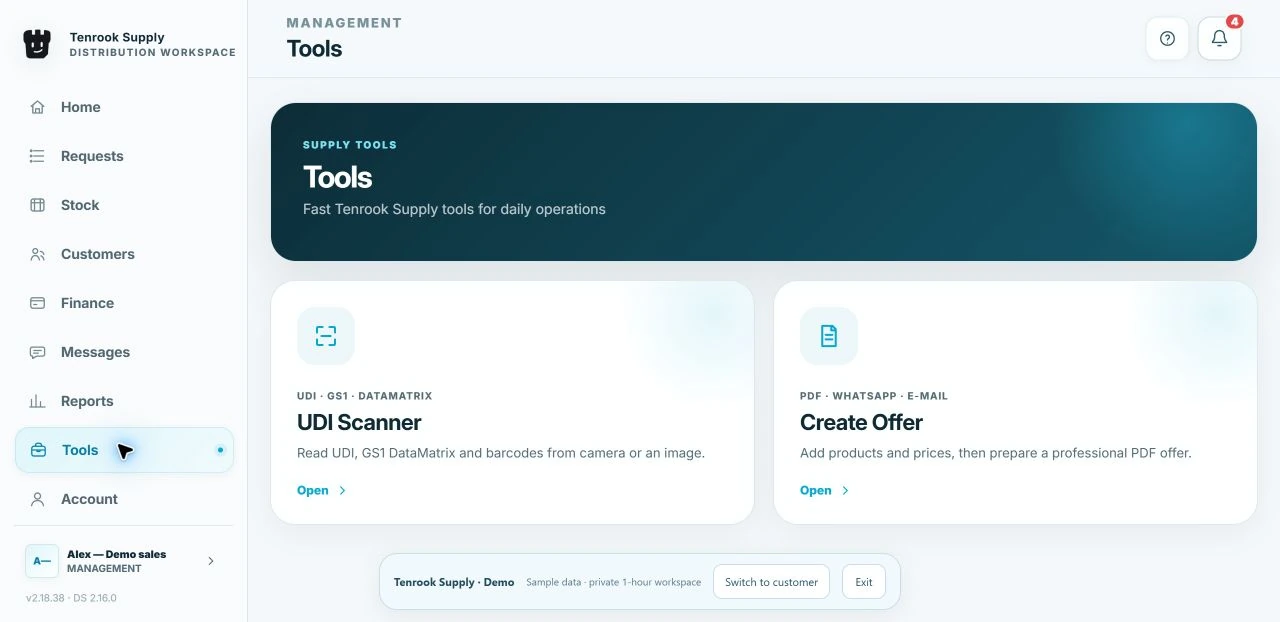
Create quotes and scan product codes
See the tools in the demoPrepare a priced offer with your terms, or read a product code without leaving Supply. The tools are part of the same workspace.
Supply, with your business name
Your name, your logo and a setup built around your operation. Your customers enter your business portal. Tenrook provides the product behind it.
Download product overviewHTML file · opens in your browser · ready to print
What we agree before setup
- Your name, logo and customer access
- Your catalogue, data import and order workflow
- Required changes, integrations and support
Your workflow comes first
We agree on scope before quoting. Workflows, customer access, languages and required integrations are part of that conversation.
- 01
Show us your process
What you sell, who buys and how an order moves through your business.
- 02
Agree on the scope
We review the fit, needed changes and a quote for your setup.
- 03
Configure and check
The agreed setup is reviewed against your day-to-day work before handover.
Questions about Supply
Which languages and translations are included?
The interface supports English, Turkish, Persian, Arabic, French, Russian, Chinese and Sorani Kurdish. Connected AI can translate chat and quote-revision notes. This is automatic text translation, not voice interpretation or a promise of instant, error-free results.
What can I try in the demo?
Enter as a customer or the sales team, then switch roles. Explore stock, create a sample request, send a quote and follow the order. The lab products, companies and prices are fictional. Setup for your business is agreed separately.
Is this only for medical suppliers?
No. It began with laboratory supply, but the catalogue, stock and order workflow can suit other B2B distributors. We assess your requirements before committing.
How is it priced?
By the agreed scope, configuration and integrations. Contact us for a proposal for your business.
Is there a ready-made connection to our ERP?
No universal connector is promised. We review your software, available APIs and data ownership before including an integration in the proposal.
See whether Supply fits your business
Show us how an order works today. We’ll discuss the setup, changes and a proposal for your business.
Explore the actual product. Each visitor gets a separate, one-hour workspace. Email, AI translation, uploads and account changes are disabled in this demo.